How To Download
UPS, FEDEX, DHL,
ENDICIA AND POSTALMATE REPORTS
Follow these screenshots and download your files successfully
UPS
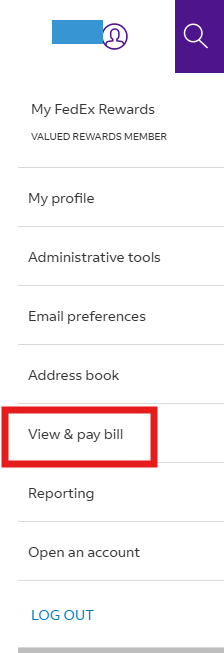
Click “View & Pay Bill” from the dropdown menu under user’s profile.

From the left menu, click “My Invoices”. Select the invoice number and click to download.

Click “Download invoice”

Click “Download” next to CSV: Summary (32 columns)

FedEx
Login to your FedEx account and access your Invoices
Go to the FedEx website and log in using your account credentials.
Once logged in, navigate to the 'Invoices' section from your account dashboard.
Select and download your invoices
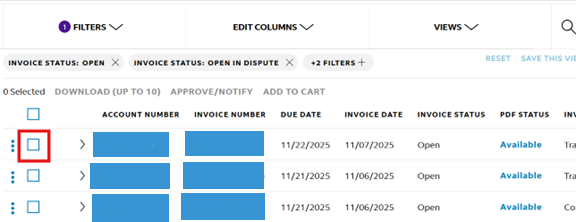
In your invoice dashboard, you will see a list of all available invoices.
Select your latest invoice or choose multiple invoices to download.
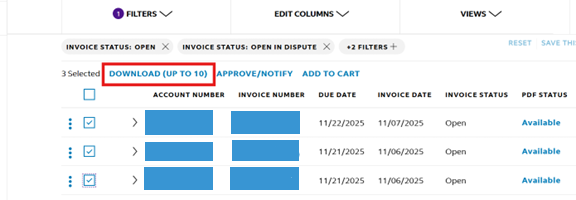
Once selected, the 'Download (UP TO 10)' button will become active.
Click it to proceed.
The download link becomes active only after you have selected the invoices
Create and refresh report
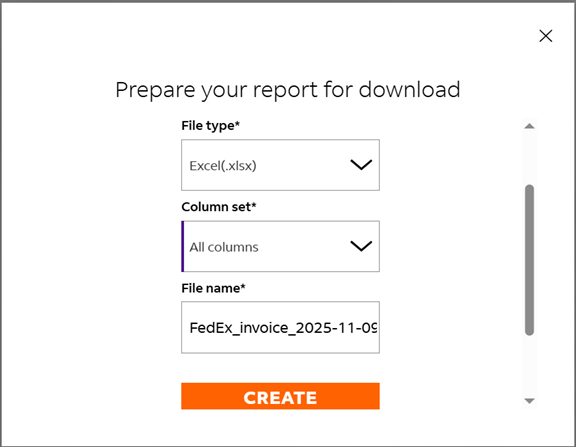
A new window will open where you can adjust your download selections.
Make the recommended selections as shown below, then click 'Create'.
This will take you to the 'Reports' area.
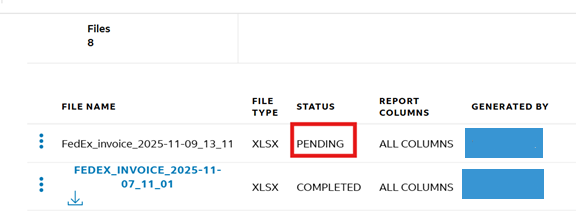
Download report file
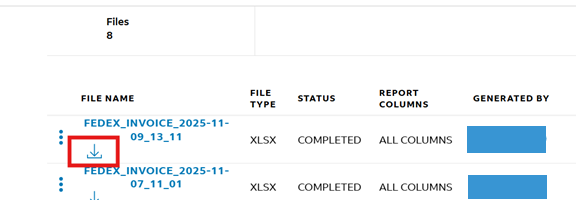
Once the report is complete, click on the download arrow icon
to download the invoice report file to your computer.
Upload report to ParcelBilling for comparison
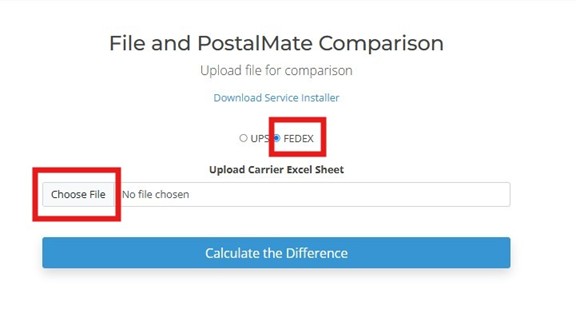
Login to your ParcelBilling account and open the 'File and PostalMate Comparison' screen.
Select the 'FedEx' button, click 'Choose File', and upload the recently downloaded invoice report.
After uploading, click 'Calculate the Difference' to complete the reconciliation process.
DHL
Login to DHL and Click “Invoice” to download

Click “Download PDF” and select and click “Download Standard CSV” from the drop down menu

ENDICIA
Login to ENDICIA. Click “History tab” and select “Search Print History”
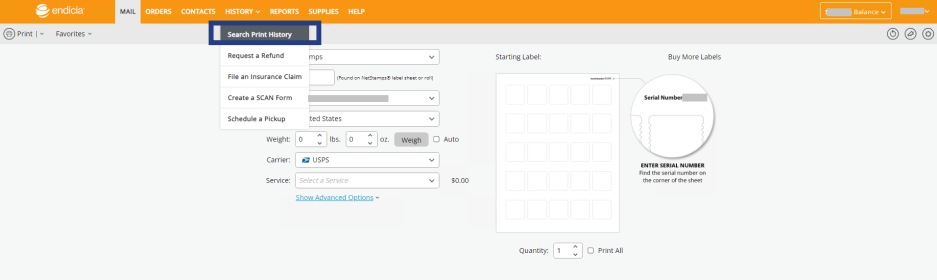
Select date range from the left menu. Click “ Export as CSV”

PostalMate
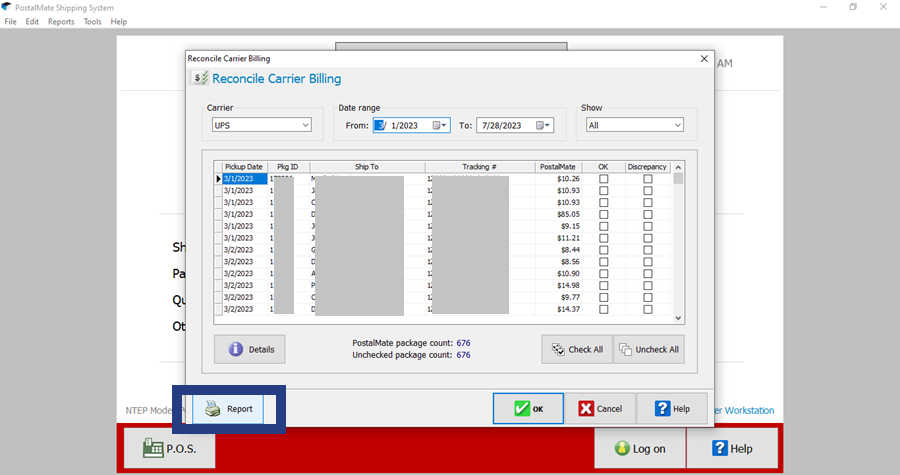
From the “Tools”, select and click “Reconcile Carrier Billing”

From the "Carrier", select "UPS" and click "OK"
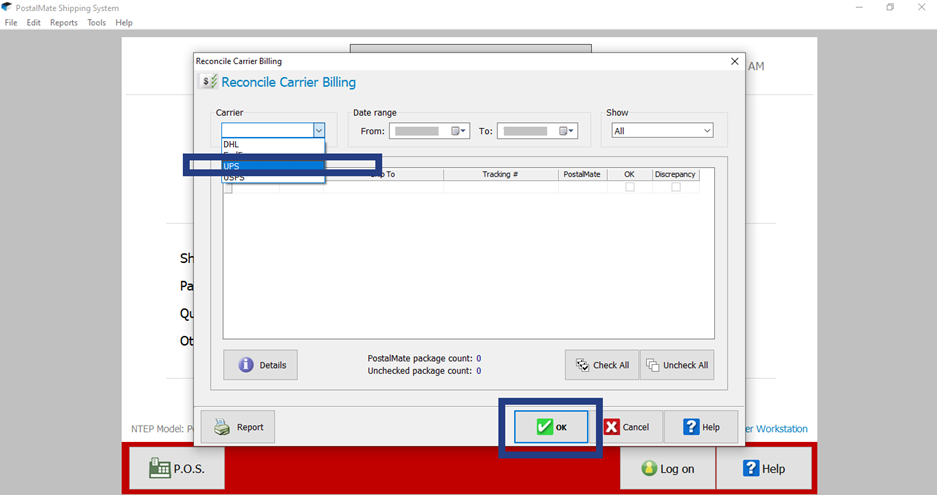
Select “Date Range” and click “Report”